log lines / second
DFIR / LOCAL ANALYSISv0.1.1
Trace the intrusion.
Keep the evidence local.
Shellhound is a local DFIR workbench for compromised CMS systems and web servers. Index the evidence once, then follow files, clients, requests, and indicators through one connected case.
$
git clone https://github.com/Mateodevv/shellhound.git APACHE-2.0 DE / EN NO ACCOUNT NO TELEMETRY
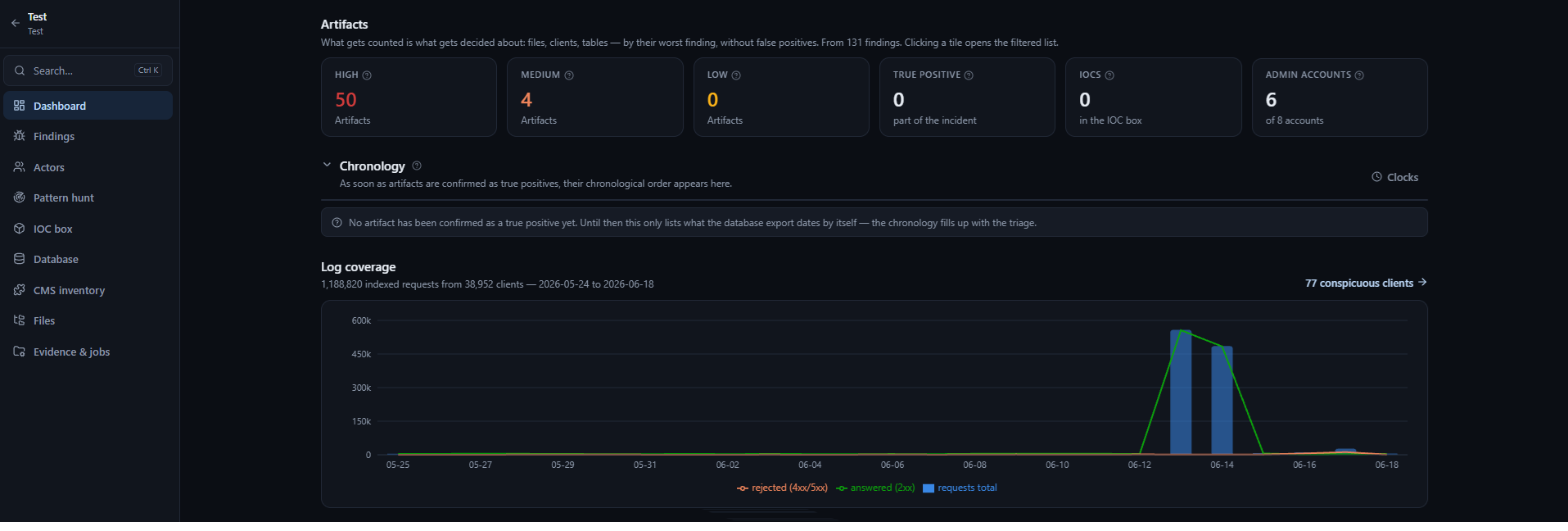
rules across evidence
local by default
plus CSV and JSON
01 THE WORKBENCH
One index.
Every lead connected.
Stop making another pass over gigabytes for every question. Shellhound links suspicious artifacts to the clients that requested them, when they appeared, and what happened next.
QUERY /
Which clients requested the dropped shell—and what did they do next?
→ 77 CONSPICUOUS CLIENTS02 EVIDENCE IN
Bring copies.
Keep the originals clean.
01 / REQUIRED
Webroot
A copy of the compromised web directory, scanned for suspicious files, known patterns, and deviations from a clean release.
FILES + YARA↗
02 / REQUIRED
Access logs
Apache or Nginx logs—including .gz—indexed once to connect clients, requests, responses, and dropped files.
LOGS + SIGMA↗
03 / REQUIRED
SQL dump
A CMS database export analyzed for suspicious accounts, injected code, and anomalies that belong in the case timeline.
DATA + ACCOUNTS↗
04 / OPTIONAL
Reference copy
A clean CMS release of the same version unlocks a direct webroot diff and makes unexpected changes stand out.
KNOWN GOOD↗
03 FINDINGS
Decide once.
Preserve the reasoning.
Shellhound groups every rule hit into the object it describes. Five observations about one dropped shell become one triage decision—not five disconnected alerts.
- 01 Inspect the exact file context and every rule that fired
- 02 Confirm, dismiss, review, or flag without deleting history
- 03 Carry paths, SHA-256s, and requesting clients into the IOC box
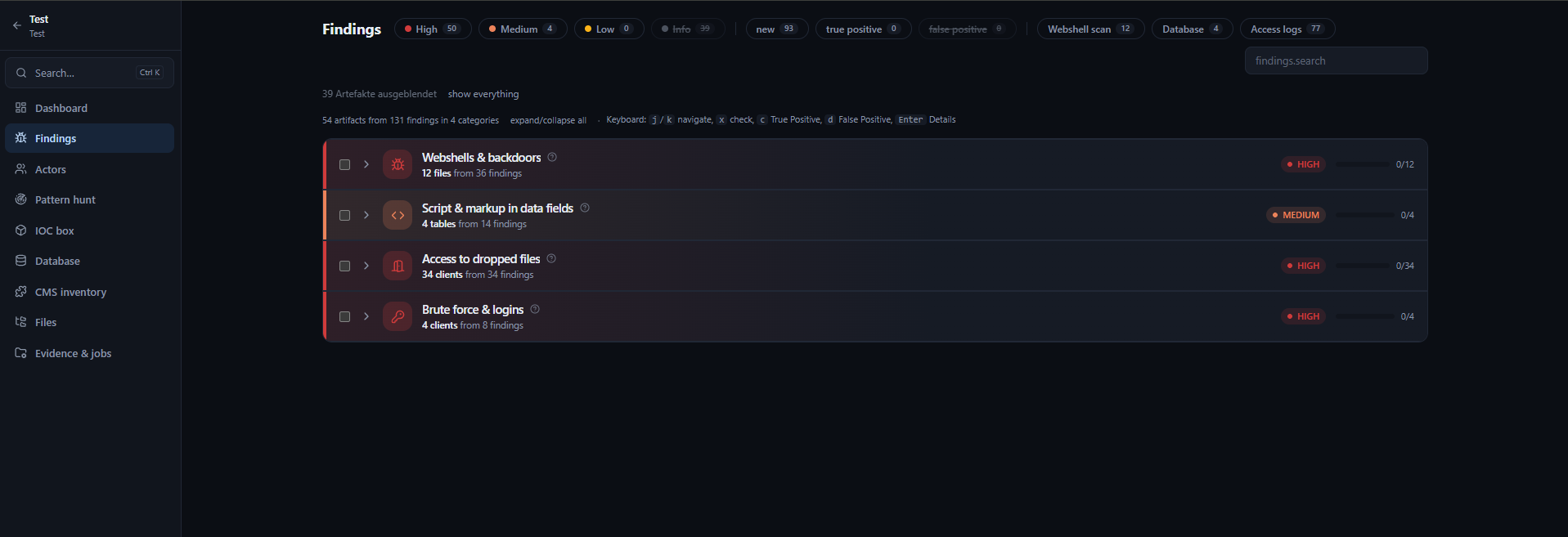
ONE OBJECT
Multiple observations. One defensible decision.
04 THE WORKFLOW
From evidence
to incident timeline.
Register evidence
Point Shellhound at copies of the webroot, access logs, and database export. Automatic detection recognizes each source by content.
Index and analyze
The engines run once in the background. After that, every investigation is a fast query against the local index.
Triage the case
Group observations by artifact, confirm what matters, reconstruct chronology, trace actors, and collect indicators.
Export findings
Take IOCs and relationships with you as CSV, JSON, or STIX 2.1—without uploading the case to a service.
05 ACTOR TRACE
See every request
in context.
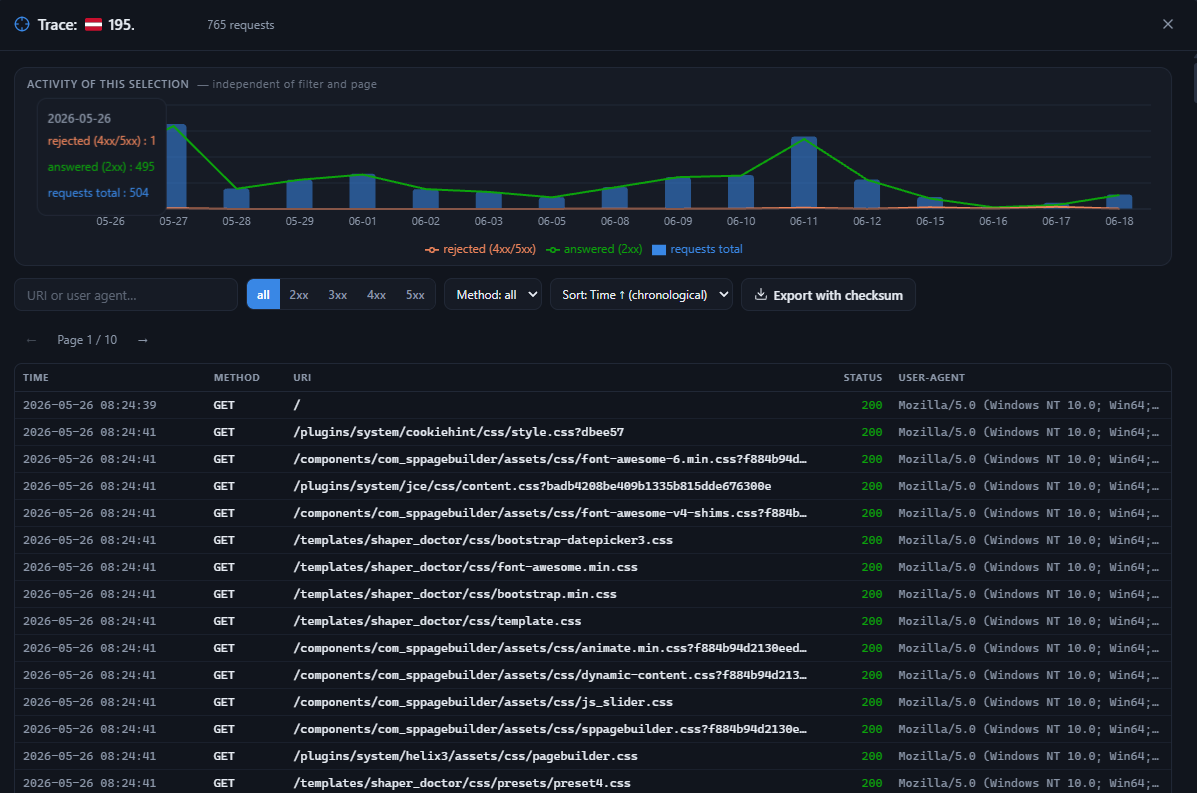
Follow a selected client over the full period, filter by URI, status, method, or user agent, and export the trace with a manifest and SHA-256 checksum.
WHO ClientsWHEN Full timelineWHAT Every request
06 SECURITY MODEL
Case data stays
on the analysis machine.
No hosted service, no account, no telemetry. Optional third-party lookups are off by default and send one explicit value per click—never the case.
Binds to 127.0.0.1 Random session token Evidence is never served GeoIP lookup stays local
07 GET STARTED
Start a local
investigation.
Shellhound requires Python 3.10 or newer. Node 20 or newer is only needed to build the interface from source.
Read the installation guide ↗INSTALL / SOURCE4 COMMANDS
git clone https://github.com/Mateodevv/shellhound.git
cd shellhound && pip install -r requirements.txt
cd web && npm ci && npm run build && cd ..
python -m server.main
→
Opens locally at http://127.0.0.1:8710